

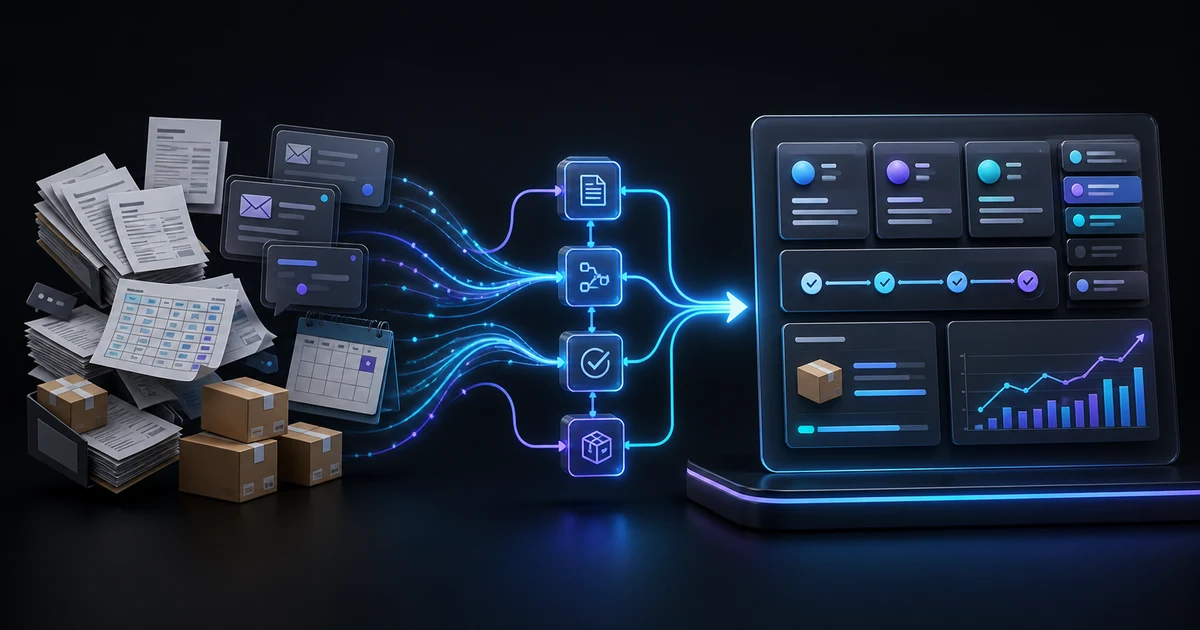
Business process automation uses software and predefined rules to run repetitive tasks, data transfers, approvals and notifications. For small and medium-sized businesses, the goal is not to remove people from the process. It is to reduce low-value work such as copying data, chasing updates, searching scattered files and waiting for forgotten approvals, so the team can spend more time on decisions and customer relationships.
This guide explains how to identify a suitable process, ten practical use cases, the choice between a ready-made tool, an integration and custom software, a simple return-on-investment worksheet and a controlled 30-day pilot.
Short answer: Good automation is not designed to eliminate every human touch. It makes sure the right information reaches the right person at the right time through a traceable workflow.
What is business process automation?
A business process is a sequence of tasks with a trigger, inputs, owners, rules and an outcome. Assigning a new lead, approving a quote, opening a purchasing task when stock is low or routing a service order to a technician are all processes.
Automation lets software carry out the defined parts of that flow. For example, a web-form submission can create a CRM record, assign an owner by region, start a response timer and alert a team leader if no action is taken. People remain responsible for exceptions, judgment, negotiation and approval.
Rules-based automation versus artificial intelligence
Rules-based automation works well for predictable “if X, then Y” tasks. Artificial intelligence can help with variable inputs such as classifying email, summarising a document, extracting information from free text or searching an approved knowledge base in natural language.
Not every workflow needs AI. Pricing, stock movement, approval order and payment status should follow deterministic business rules that can be explained and tested. When AI is used, the data scope, confidence threshold, human approval point and safe fallback must also be defined.
Which process should you automate?
The best first candidate is frequent, measurable and largely governed by known rules. Score each question 0 = no, 1 = partly, or 2 = yes:
- Does the process run more than once a week?
- Is the same information re-entered in two or more systems?
- Are the start and completion conditions clear?
- Can most of the business rules be written down?
- Is there an owner and, where necessary, an approver?
- Is the authoritative data source known?
- Can delay, error or workload be measured?
- Can the process fail and roll back safely?
0–5 points: Simplify the process and clarify ownership first. 6–10 points: Validate it with an off-the-shelf tool or low-code pilot. 11–16 points: An integration or custom-automation feasibility study may be worthwhile.
This is not a scientific maturity model or a purchasing decision. It is a practical filter for prioritising an initial conversation. Security, regulation, data sensitivity and maintenance responsibilities still require separate review.
Ten business process automation examples for SMEs
1. Capture and assign customer enquiries
Problem: Requests from forms, email, telephone and messaging channels remain in separate lists. Workflow: Create one record, assign an owner by topic or region, start the response timer and notify a team leader when it is overdue. Measure: First-response time, unanswered enquiries and enquiry-to-quote rate.
2. Generate quotes and approve discounts
Problem: Product, price and customer data come from different files, creating version errors. Workflow: Build the quote from the current price list, route discounts above a defined threshold for approval and archive the final version. Measure: Quote preparation time, revisions and incorrect-price incidents.
3. Create purchasing tasks from stock thresholds
Problem: A critical item is noticed too late or more stock is purchased than the business needs. Workflow: Check the threshold after a stock movement, open a requirement, request approval and track the purchase status. Measure: Stockouts, excess stock and inventory variance.
See the WizzERP demo project for one way to bring sales, purchasing, stock, warehouse, finance and approvals into one operational interface.
4. Standardise multi-branch tasks and reporting
Problem: Each branch handles the same task in a different file and sequence, making comparison difficult. Workflow: Define shared data fields, role-based access, branch targets and exception alerts in one management panel. Measure: Variation in processing time, incomplete records and report-preparation time.
5. Connect restaurant orders with kitchen status
Problem: Table, takeaway, kitchen, courier and payment information become disconnected. Workflow: Record the order channel, route items to the relevant preparation stage, update service or delivery teams and match the result with payment. Measure: Preparation time, waiting orders and cancellation reasons.
The OrderWizz restaurant order panel is a demo project for table, kitchen, takeaway, courier and payment operations.
6. Track automotive service work orders
Problem: Vehicle intake, technician assignment, parts, stock and payment are recorded separately. Workflow: Open a work order at intake, assign a technician and target date, deduct used parts and connect approval and handover. Measure: Average service time, waiting work orders and repeat work.
ServisWizz is a demo work-order and inventory panel for this type of automotive-service workflow.
7. Manage logistics tasks and delivery exceptions
Problem: Order, route, vehicle, driver and delivery information are transferred manually, so delays become visible late. Workflow: Assign the shipment, record status events, attach proof of delivery and route delay or failed-delivery exceptions to the owner. Measure: On-time delivery, empty mileage, failed deliveries and exception-resolution time.
For an operational example, explore the LogiWizz logistics tracking demo.
8. Coordinate appointments, people and resources
Problem: Staff, rooms, equipment or vehicles are checked separately, creating conflicts and forgotten appointments. Workflow: Match an appointment with available resources, notify people when it changes and release capacity after cancellation. Measure: Conflicts, last-minute cancellations and unused capacity.
9. Produce management reports automatically
Problem: Weekly reporting requires data from several files and is already out of date when published. Workflow: Retrieve information from approved sources, apply consistent calculations and show exceptions separately. Measure: Preparation time, corrections and data freshness.
10. Classify documents and support internal knowledge search
Problem: Quotes, procedures, contracts and product information are buried in folders and messages. Workflow: Organise documents by owner, date, version and permission; allow AI to search, classify or summarise approved sources; require human review for critical answers. Measure: Time to find information, use of outdated versions and repeated support questions.
Read our ChatGPT Work business pilot guide for a deeper discussion of permissions, data and human approval in AI-assisted workflows.
How do you map a process before automating it?
A whiteboard or a one-page document is enough. Record seven fields:
- Trigger: What event starts the process?
- Input: Which information or document is required?
- Steps: Who does what today?
- Decision: Which condition changes the route or requires approval?
- System of record: Where is the authoritative information stored?
- Exception: What happens when data is missing, cancelled or incorrect?
- Outcome and measure: How do you know the process is complete?
This exercise exposes unnecessary work. Remove what can be removed before automating what remains. Otherwise software can become an expensive layer that simply executes waste faster.
Ready-made tool, integration or custom software?
Ready-made tool
When the process is common, rules are standard and speed matters, a CRM, task-management or appointment product may be sufficient. Confirm data export, roles, support and exit conditions before committing.
Integration
When existing tools work but people manually transfer data between them, an API or secure automation layer may be more economical. Define ownership, error queues, retries and audit records for each connection.
Custom software
When the process is a competitive advantage, contains many specialised roles or approvals, or requires constant spreadsheet work around standard products, a custom panel may be appropriate. Custom software also creates ongoing testing, maintenance, hosting, backup and ownership responsibilities.
For the broader decision, see our guide to digital solutions for businesses.
How do you calculate automation ROI?
Start with your own data and calculate the monthly cost of the current manual process:
Monthly time cost = number of employees × minutes per day / 60 × working days per month × total hourly employee cost
Where measurable, add the cost of error correction, delay, cancellation, excess stock, missed enquiries and repeated work. Measure the same values after the pilot:
Simple payback period = initial investment / measurable monthly net gain
This formula is not a complete investment analysis that includes financing, cash flow or strategic risk. It does turn a vague promise such as “it will save time” into comparable baseline and outcome values.
A controlled 30-day automation pilot
Days 1–5: Select one process and one owner
Choose a high-scoring, frequent and reversible workflow. Record its current duration, errors, waiting tasks and users.
Days 6–10: Define data, permissions and exceptions
Name the authoritative data source, roles allowed to act, human approval points and the safe path when something fails.
Days 11–18: Build the smallest sufficient workflow
Automate only the essential record, status, owner, notification and measurement. Do not attempt to transform every department at once.
Days 19–25: Test real scenarios and failure paths
Alongside the normal path, test missing data, duplicate requests, unauthorised users, cancellation, integration failure and rollback. Compare critical outcomes under human supervision.
Days 26–30: Run a limited production pilot and decide
Start with one team or branch. Compare baseline results, user acceptance, new maintenance load and failure behaviour. Expand gradually only when the evidence is positive.
A checklist for safe, sustainable automation
- Use a unique identity and least privilege for every integration.
- Validate critical price, payment, stock and access decisions on the server.
- Prevent retried requests from creating duplicate records or charges.
- Keep an audit record of who changed which information and when.
- Use error queues and retry plans so work is not silently lost during an outage.
- Test restoration, not only backup creation.
- Keep human approval and manual takeover for critical decisions.
- Document the system owner, maintenance responsibility and support boundary.
Seven common mistakes
- Selecting a tool instead of a problem: A popular product may not solve the real bottleneck.
- Automating a broken process: An unnecessary step remains unnecessary even when it runs faster.
- Doing everything at once: Test and adoption risk rises with scope.
- Ignoring the system of record: Automation becomes unreliable when two systems produce different truths.
- Ignoring exceptions: Real operations are tested by missing data and change, not only the happy path.
- Involving users too late: A technically correct workflow may not fit daily work.
- Skipping success metrics: The business cannot compare the result with the investment.
Frequently asked questions
Does business process automation replace employees?
The aim is to reduce repetitive, rules-based work. Customer relationships, negotiation, exception handling, ethical judgment and final approval remain human responsibilities. Role changes and training should be part of the project.
Where should a small business start?
Start with one frequent workflow that has a clear owner, accessible data and a measurable outcome. Lead assignment, quote tracking or weekly reporting can be good pilot candidates.
Is AI required for automation?
No. Traditional automation is usually more predictable and testable for deterministic tasks. AI can be added as a controlled component when the workflow includes variable text, documents or classification.
How long does business process automation take?
Duration depends on integrations, data quality, roles, exceptions and testing. A precise timeline without analysis is not reliable. Validate feasibility with a small, reversible pilot.
When is a spreadsheet no longer enough?
Consider a central system when many people edit the file, versions conflict, information is re-entered elsewhere, permissions and audit history are required, or mistakes materially affect operations.
How do you know the automation worked?
Compare the same metrics before and after the pilot: processing time, errors, waiting work, repeat work, user acceptance and maintenance load. Evaluate data quality and control, not only the number of completed tasks.
Conclusion: Start with the smallest measurable bottleneck
Business process automation is not about connecting as many tools as possible. It clarifies how work starts, who owns it, which rule moves it forward and how success is measured. Begin with the smallest sufficient workflow, test exceptions and expand only when real evidence supports the decision.
WebWizz builds corporate websites, e-commerce systems, SaaS applications, custom software, CRM and management panels, including process analysis and integrations. Share the workflow you want to improve, the tools you use today and the step that consumes the most time through our project-start form.