
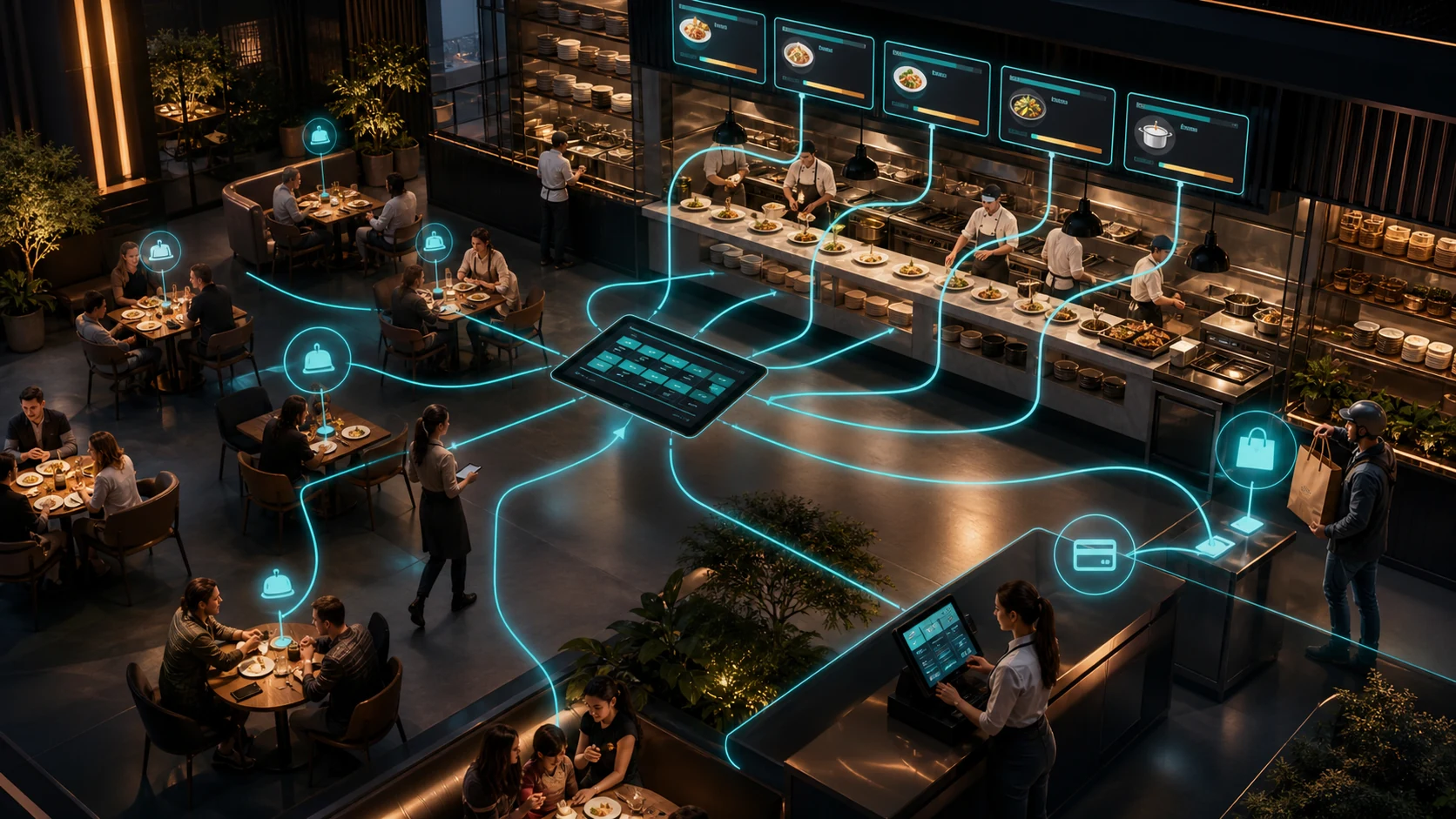
A restaurant order and table management system is software that brings table service, takeaway, kitchen, payment and customer communication into one operational flow. The right system does more than take orders; it makes visible which table has been waiting and for how long, what stage an order has reached in the kitchen, and where the pressure is building.
What is a restaurant order and table management system?
The system connects every step to shared data, from the order a server takes through kitchen preparation, delivery of the dish, the bill and payment. Table service, collection and delivery orders can all be managed under the same menu and stock rules.
The aim is not simply to move a paper ticket onto a tablet. It is to establish a standard way of working that reduces orders being rewritten, lost in the kitchen or sent to the wrong table — and stops management collecting end-of-day reports from several different sources.
Common operational problems in restaurants and cafes
- Mistakes creep in when a server passes an order to the kitchen verbally or on paper.
- The kitchen cannot clearly see which order should be prepared first.
- Table merges, complimentary items and cancellations happen without leaving a trace.
- Delivery, table and collection orders stay on separate screens.
- Items that are off the menu or out of stock still appear orderable.
- During peak hours there is no way to track how long each table has waited.
- End-of-day sales, cancellations, discounts and product performance are compiled too late.
Features a restaurant management system should have
1. Visual floor plan
Free, occupied, reserved, awaiting-order and bill-requested tables should be distinguishable by state. Moving and merging tables should be performed by an authorised user and remain traceable.
2. A fast, error-tolerant order screen
Category, product, portion, options, extras and notes should be selectable in a few steps. Speed matters, but so do undoing a wrong selection and keeping a change history.
3. Kitchen display screen
The kitchen team should manage new, preparing, ready and served states on a single screen. If items can be split by station, the hot kitchen, bar and dessert section each see their own queue.
4. Delivery and collection flow
Orders arriving by phone, website or other channels should be recorded with address, delivery time and payment information. Integration between channels is preferable to re-entering the same order.
5. Menu and stock connection
Price, options and product availability should be managed centrally. When a critical item runs out, the related menu entries should close in a controlled way, and the rule linking a sale to a stock movement should be explicit.
6. Bill and payment management
Splitting bills, moving items, multiple payment methods, complimentary items and discounts should all be tied to permissions. Unexpected discrepancies should be reviewable at cash-up.
7. Reservations and capacity
Reservations should connect to capacity with party size, time, table preference and special notes. Rather than keeping a list of names, table turn time and density should be taken into account.
8. Branch and permission management
In multi-branch businesses, shared menu rules should hold while price, stock and opening hours are managed per branch. Server, kitchen, till and manager roles should be kept distinct.
9. Customer feedback
If complaints and compliments are linked to the order and branch, recurring problems become detectable. Personal data should be held only to the extent necessary and under appropriate permissions.
10. Real-time reporting
Average preparation time, table turn rate, best-selling items, cancellation and complimentary rates, and sales distribution by channel and hour are the indicators management should be able to reach.
The difference between a QR menu, a POS and a restaurant management system
A QR menu lets customers view the items; on its own it does not manage the kitchen or payment flow. A POS centres on recording sales and payments. A restaurant management system connects tables, orders, kitchen, stock, reservations and reporting end to end.
Not every business needs every module. Fast sales and stock control may be enough for a small coffee shop, while a multi-branch operation running table service and delivery together needs broader integration.
Off-the-shelf restaurant software or custom development?
Where the menu is standard, there is one branch and till needs are simple, an off-the-shelf product offers a fast start. Hardware compatibility, support, data export, offline operation and integration fees should all be checked before purchase.
Custom restaurant software is worth considering where you have several order channels, bespoke campaign rules, multiple branches, central production, franchise reporting, or a need to integrate with existing ERP and accounting systems. If staff are still keeping a second spreadsheet while using an off-the-shelf system, the core need may not be met.
Which metrics should you measure success by?
- Time from an order being taken to being ready.
- Number of incorrect or cancelled orders.
- Average wait and total occupancy time per table.
- Open jobs and delays during peak hours.
- Items closed for being out of stock, and orders lost as a result.
- Distribution of complimentary, discount and cancellation rates by user.
- Sales and gross contribution trends by branch and channel.
Record the baseline value of these same indicators before the software is installed. Otherwise there is no way to tell whether a change genuinely came from the system.
A 30-day implementation plan
- Days 1–5: Observe the table, order, kitchen and payment flow; measure the delays.
- Days 6–10: Define menu data, user roles, stations and critical permissions.
- Days 11–15: Limit the first release to tables, orders, kitchen status and payment.
- Days 16–22: Test cancellation, item substitution, table moves, split payments and connection loss.
- Days 23–27: Start a controlled pilot on one shift or one branch; keep a plan for reverting to the old method.
- Days 28–30: Compare preparation time, error count and user acceptance against the baseline.
Frequently asked questions
Does a restaurant management system work without internet?
Most cloud-based systems need a connection. If offline operation is required in the critical sales flow, local caching, synchronisation and how data is merged after an outage should be tested in advance.
Can it integrate with existing POS hardware?
Integration may be possible depending on the device, the payment provider and the protocol in use. No firm integration promise should be made before seeing the technical documentation and the access the provider permits.
Is a QR menu enough on its own?
If the goal is only to display the menu digitally, it may be. If you want the order passed to the kitchen, deducted from stock and closed with payment, a broader operational system is needed.
Conclusion: manage the whole flow, not just the order
The real value of restaurant software comes not from the speed of the order screen but from establishing one verifiable flow across tables, kitchen, stock and payment. A system is well designed when staff do not fall back on extra paper or messages during the busiest shift.
You can see WebWizz's approach to bringing table, order, kitchen and payment processes together in the OrderWizz restaurant order dashboard, and use the project start form for a solution tailored to your business.